
Kiln calibration tool
PT
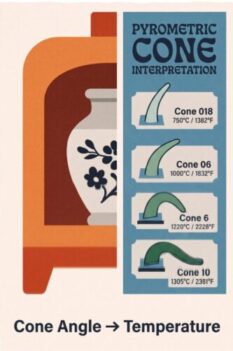
potterytech Cone Angle → Temperature
Pick Cone + Type + Heating rate, enter bend angle (0–90°), optionally add a soak, and get an equivalent °C. Nothing is saved—copy your lines to your kiln log.
Beginner’s Quick Start Guide
Welcome! Here is how to use this tool to calculate your firing temperature from witness cones. (Tip: Click “Demo Data” under Session Log to see an example!)
- Session Metadata (Card 1): Enter your Technician Name/ID and your Kiln Type (e.g., Skutt 1027).
- Location (Card 2): Select where the cone was placed in the kiln using the Compass grid, Layer dropdown, and Shelf ID.
- Cone & Rate (Card 3): Select the exact Cone number and Type you used, plus the heating rate (°C/hr) at the end of the firing.
- Measure Angle (Card 4): Look at your fired physical witness cone. Replicate its bend angle on the slider (0° is straight up, 90° is bent flat).
- Log It: Click the blue “Append to Log” button to save that cone’s data to the Session Log box.
- Analyze: Once all your cones are logged, click the green “📋 Copy Data to Cone Analytics Tool” button to send the structured data straight into the analytics program!
Calculated Temperature
— °C
Angle estimate ± soak adjustment
Session Log
…
Adjust endpoints (session only)
| Angle | Temp °C |
|---|